

👩‍💻 Upcoming webinar: Take the guesswork out of your email communication

Sign up now

Your emails deserve a response—but are they getting one?

Ever sent an important email only to be met with silence? You’re not alone.

Poor timing, generic messaging, and unnoticed mistakes can cost you responses—and opportunities.

In today’s crowded inbox, standing out requires more than just hitting send.

Mailbutler’s Tailored Sending ensures your emails land
at the right time, in the right tone, with zero errors.

Send the right emails
at the right time

Write personalized, mistake-free emails and reach each recipient at the best time to make every interaction count.

AI Smart Assistant

Compose professional emails in seconds

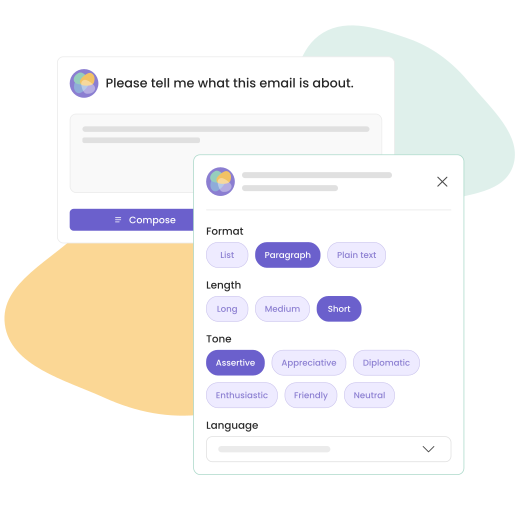
Feeling uninspired? Need to write an email quickly? With Mailbutler’s AI-powered email assistant, you can provide a few keywords, and the Smart Assistant will compose a full email for you.

You can instruct the assistant to fine-tune the draft by specifying the length, tone of voice, style, language, and format.

Improve your email drafts before you hit send

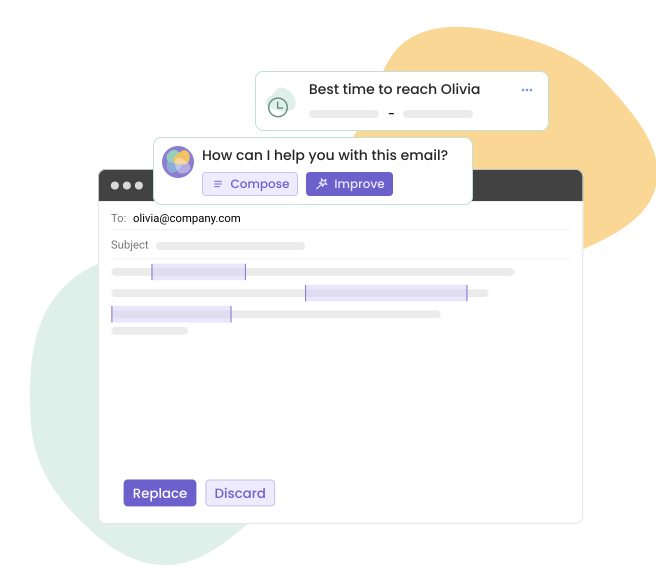
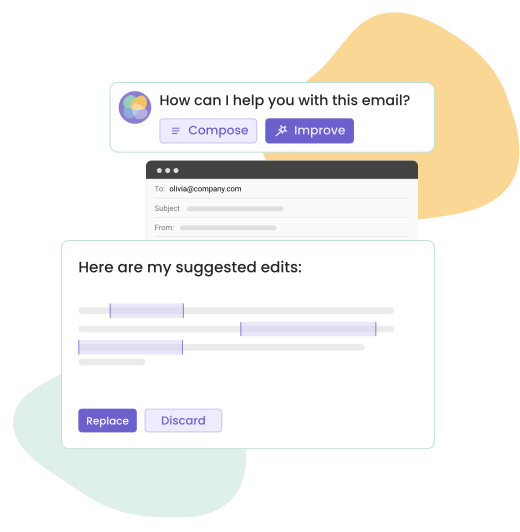
Getting emails exactly right can be difficult. Mailbutler helps you write polished, error-free emails that reflect your brand voice.

Whether you’re refining the tone, adjusting the wording, or ensuring clarity, our AI-powered assistant makes your emails more effective and engaging.

Message Templates

Create professional email templates for any situation

Find yourself writing the same emails over and over again, whether cold emails, follow-ups, or personal responses?

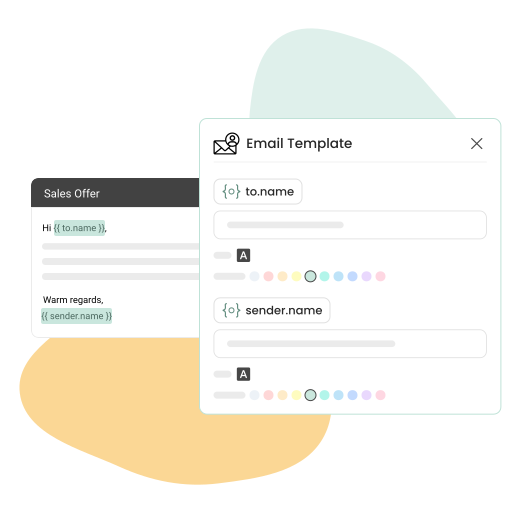
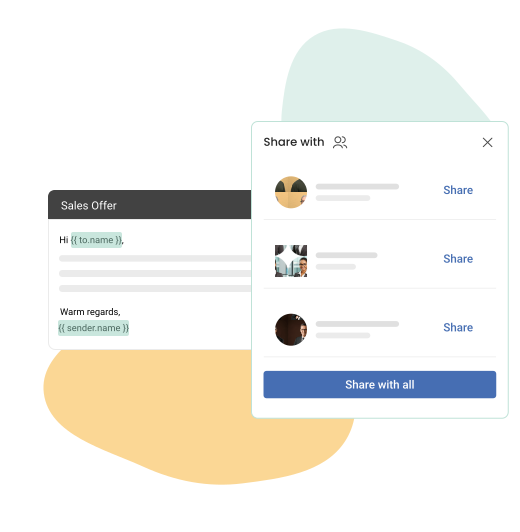
Save time by creating go-to email templates with dynamic placeholders such as “to.name” and “sender.name” that get automatically filled out when sending your email. Then, customize colors and fonts to match your brand.

Share templates across your team

Keeping your team on brand has never been easier with Mailbutler’s Message Templates.

You can quickly grant your whole team access to the same email copy, ensuring your team remains efficient, professional, and on brand, regardless of whether your colleagues use Apple Mail, Gmail, or Outlook.

Mail Merge

Mailbutler Mail Merge feature 1

Personal touch at scale

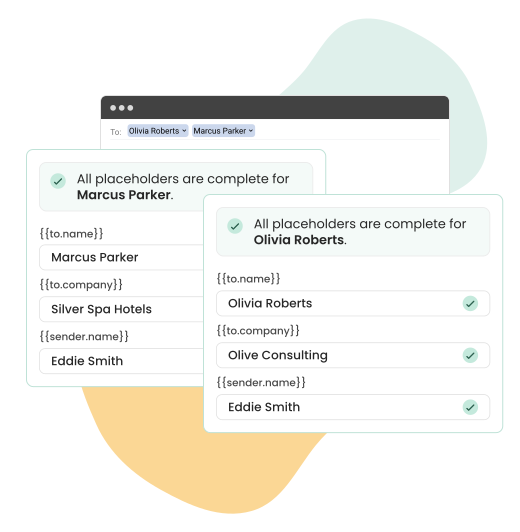
Sending the same email to multiple contacts? Mailbutler’s Mail Merge makes every message look like it was written just for the recipient.

By automatically inserting details such as the recipient’s name, company, or job title into your email template, your outreach stays personal with no extra effort.

Powered by your contacts

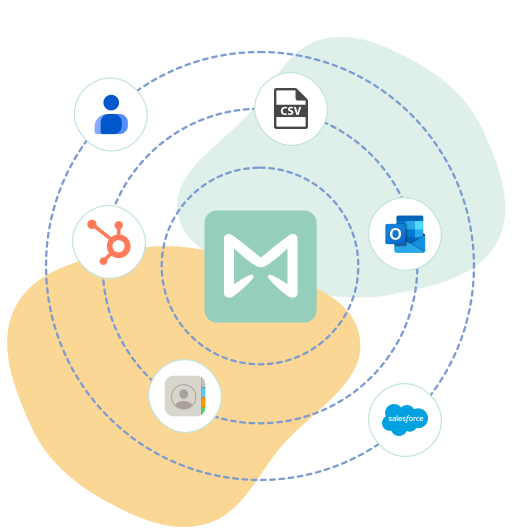
Mailbutler fetches recipient details directly from your linked contact service (Apple/Google/Outlook Contacts), CRM tool (HubSpot or Salesforce), or CSV file, and applies them to your Mail Merge fields.

This keeps every email accurate, consistent, and tailored to the person receiving it.

Mailbutler Mail Merge feature 2

Smart Timing

Optimized email delivery for each recipient

Mailbutler automatically calculates the best time to reach each of your recipients, based on their engagement patterns.

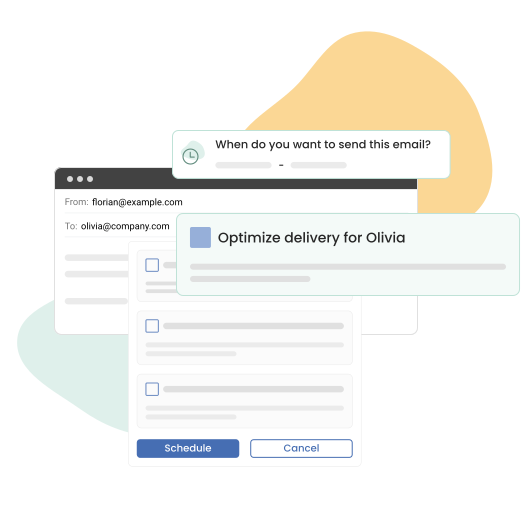
Whenever you schedule a timed email, Mailbutler will suggest an optimized delivery time for that specific recipient, maximizing the chances of your email getting read and acted upon.

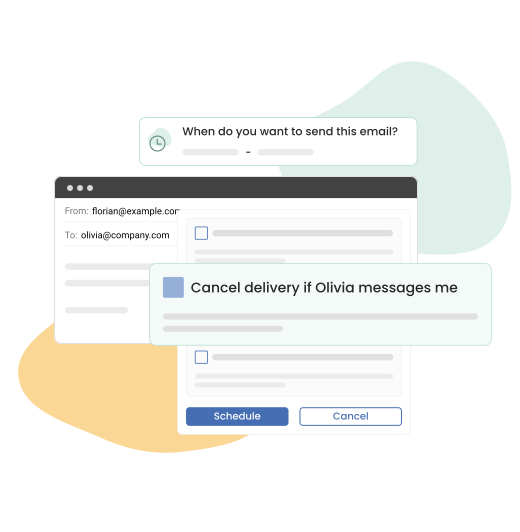
Smart unschedule when you receive a reply

What if you’ve scheduled an email but receive a reply before it gets sent?

With Mailbutler’s smart functionality, your scheduled email can be automatically unscheduled if you receive a message from your recipient before your email is delivered.

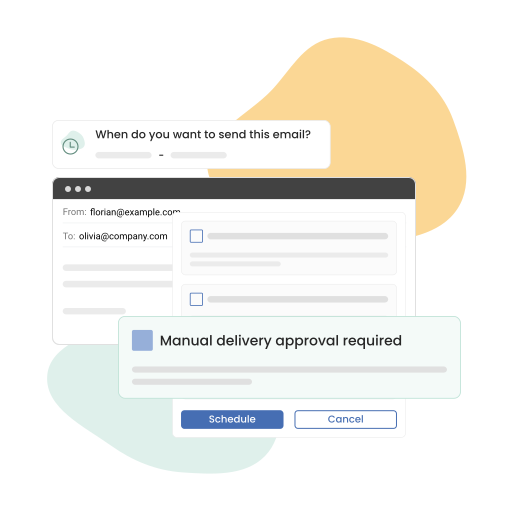
Manual delivery approval for maximum peace of mind

Circumstances may change between the moment you schedule an email and the delivery time, and you might decide not to send the message after all.

Mailbutler gives you the option to review and either approve or cancel the delivery of your scheduled emails through the Smart Send Later widget. A simple yet powerful functionality for maximum safety and peace of mind!

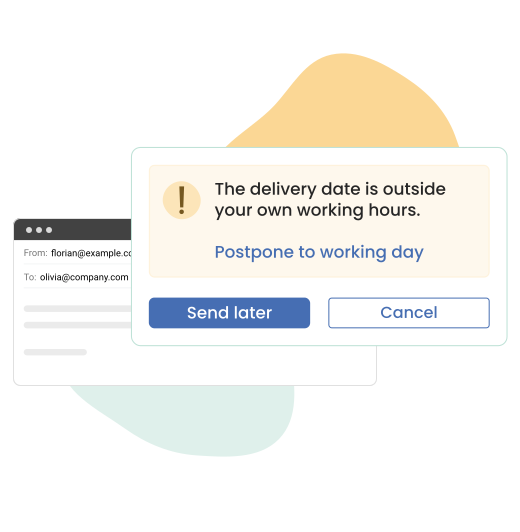
Auto-reschedule to send on your next working day

Mailbutler can automatically send your message during working hours, if for example you’re working late at night.

After setting your working hours in your settings, when you send an email outside of these hours, Mailbutler will notify you that you’re doing this, and ask to – or simply automatically! – schedule your email to be sent at the beginning of your working hours on your next working day.

Tailored Sending FAQs

What is a tailored email?

A tailored email is a message that is customized to meet the specific needs, interests, or context of its recipient. Rather than using a one-size-fits-all approach, tailored emails are written with a personalized touch, considering factors such as the recipient’s name, role, or company; their previous interactions with you or your organization; their preferences, behavior, or stage in the customer journey.


Tailoring an email can involve everything from the subject line and greeting to the content and call-to-action, all designed to make the message more relevant, engaging, and effective.

How can Mailbutler help me personalize my emails?

Mailbutler helps you write highly personalized emails that resonate with your recipients without adding extra work to your routine. It provides a suite of features designed to make each email feel thoughtful, relevant, and timely.


Mailbutler uses AI to compose or rephrase messages tailored to the recipient’s context; adapts tone and style to suit different audiences (e.g., professional, friendly, persuasive); offers reusable templates with dynamic placeholders like first name, company, or job title; sends emails at the optimal time for each recipient’s time zone or behavior pattern.

What is Mail Merge?

Mail Merge is a Mailbutler feature that allows you to send personalized versions of the same email to multiple recipients without writing each message manually. Instead of sending a generic mass email, Mail Merge pulls personalized contact information (like the recipient’s name, company, or job title) from your linked contact service (Apple/Google/Outlook Contacts) and inserts it into pre-defined placeholders in your email template.

What is Smart Timing?

Smart Timing is a Mailbutler feature that helps you send emails at the most effective moment—when your recipient is most likely to open, read, and respond. Rather than relying on guesswork, Smart Timing uses intelligent scheduling based on behavioral data or your preferences to optimize delivery time.


With Smart Timing, Mailbutler turns timing into a strategic advantage, helping your emails stand out and perform better—without requiring constant manual effort.

It only takes 30 seconds to get started

It only takes 30 seconds to get started

The email extension that adds powerful features to your Apple Mail, Gmail, or Outlook inbox.

The email extension that adds powerful features to your Apple Mail, Gmail, or Outlook inbox.