Inbox automation refers to setting up rules that automatically handle actions in your inbox without manual effort. With Mailbutler, you can trigger workflows based on events (like drafting or delivering a message), apply conditions, and run actions, such as adding recipients, tagging emails, creating tasks, and much more, helping you stay organized with no manual effort.
Maximize your email efficiency with inbox automations
Tired of repetitive tasks slowing you down? Mailbutler lets you set up inbox automations that streamline your workflow by handling actions like adding recipients, tagging emails, creating tasks, and so much more.
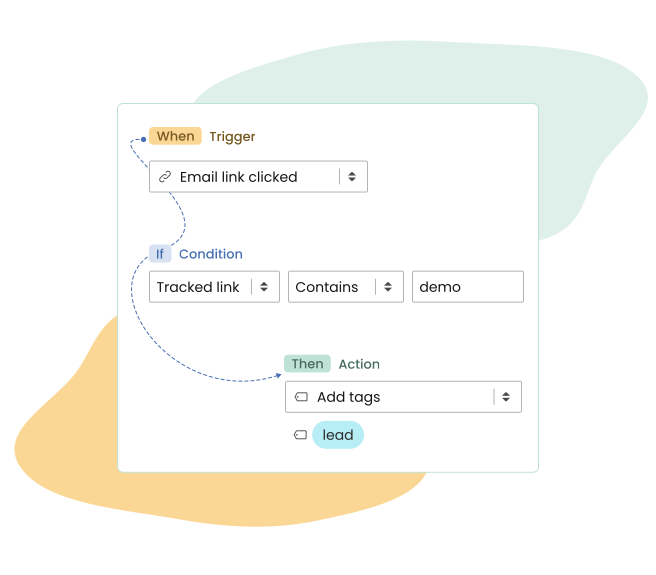
How it works
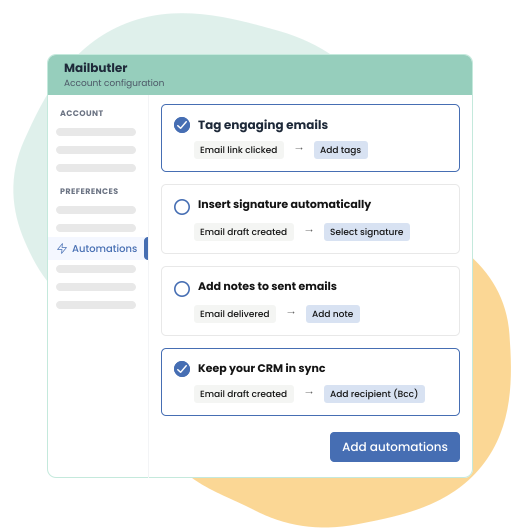
Create automations your way
Build automations your way with our easy-to-use builder (no tech skills needed).
Or get started with presets like BCCing your CRM (e.g. HubSpot), delaying emails to the next business day, or auto labeling emails in Outlook, Gmail, or Apple Mail, so your workflow stays efficient and organized.
Add a trigger
Stay one step ahead with automations that respond instantly to what’s happening in your inbox.
Trigger workflows based on real actions like email draft creations, sends, opens, link clicks, or property changes. This ensures the right actions happen at exactly the right moment—without any manual input.

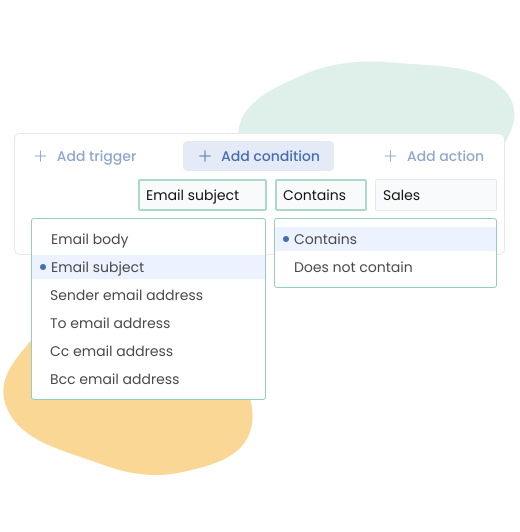
Make it more precise with conditions
Want more control? Use conditions to fine-tune when your automations apply.
Filter emails by recipients, sender, subject line, and more to ensure each workflow runs only when it’s relevant, making your inbox automations smarter and more efficient.
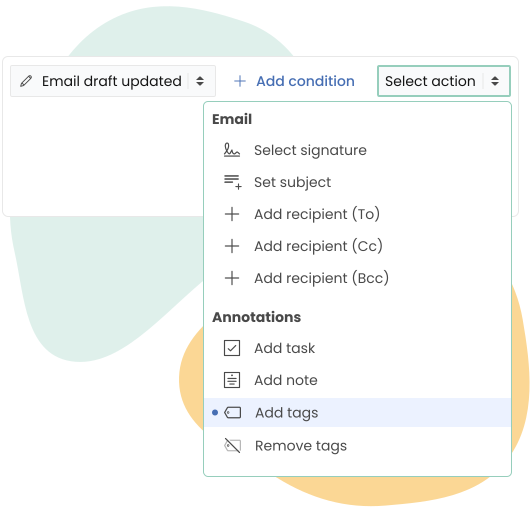
Let actions do the work for you
Define actions that run on their own, such as automatically tagging emails, adding private and shared notes, creating tasks from emails, or applying signatures across Gmail, Outlook, and Apple Mail.
Get more done with less effort, so you can focus on what matters.

FAQs
What does inbox automation mean?
How do I create a workflow automation?
Creating workflow automations with Mailbutler is simple. Start by choosing a trigger (like when an email is delivered or opened), optionally add conditions to narrow it down, and then define the action, such as tagging an email or adding a note. Once set up, Mailbutler takes care of everything automatically.
How do triggers and conditions work?
Triggers define when an automation starts, such as when an email is created, delivered, or opened. Conditions let you refine when it should run—for example, only for emails to specific recipients or with certain subject lines—so your workflows stay precise and relevant.
How do I create a task from an email?
You can automatically turn emails into tasks by setting up an automation with a trigger (e.g. when an email is delivered) and selecting “add task” as the action. Mailbutler will generate a task directly from the email, helping you stay organized without manual effort.
Do I need technical skills to create inbox automations?
Not at all. Mailbutler’s automation builder is designed to be intuitive and user-friendly. You can create workflows in just a few clicks, or start with ready-made presets to get up and running quickly.
Can I use predefined automations instead of building my own?
Yes! Mailbutler offers presets to help you get started quickly. You can use them for common use cases like auto-labeling messages, inserting signatures automatically, or BCCing your CRM, and customize them anytime to fit your workflow.