





Shared inbox software: Boosting team collaboration and productivity
Manage team emails efficiently with shared inbox software. Assign emails easily, and boost productivity across your entire team.

Learn how to delete emails in Gmail, Apple Mail, and Outlook. Step-by-step guides for single and bulk deletion, plus tips to declutter your inbox faster.
Irena is an experienced Content and Email Marketer who loves animals, slow mornings, and all things Tolkien.
TL;DR
Deleting emails is simple — but doing it efficiently across Gmail, Apple Mail, and Outlook requires knowing the right tools. This guide explains how to delete single emails and bulk messages, on both desktop and mobile, with best practices to avoid mistakes.
Fact nugget: Most email clients keep deleted emails in a Trash folder for 30 days before permanent removal.
Email inboxes fill up fast. Newsletters, receipts, automated alerts… Small messages accumulate into thousands of unread emails.
According to a 2024 study by the Radicati Group, the average professional receives 121 emails per day, and that number continues to grow. Deleting emails regularly improves focus, speeds up search, and reduces storage issues.
How do you delete one email or thousands safely and quickly?
Direct answer: When you delete an email, it usually moves to a Trash or Deleted Items folder — not permanently erased.
What happens after deletion?
Emails stay in Trash / Deleted Items for 30 days (default).
After that, they are automatically and permanently removed.
You can manually empty the Trash to delete emails immediately.
Fact nugget: Deleting ≠ permanently deleting — until the Trash is emptied.
Direct answer: Open the email and click the trash can icon.
Steps (Desktop):
Open Gmail
Open the email.
Click the 🗑️ Delete icon.
Steps (Mobile app):
Swipe left or right on the email
or
Open the email and tap the trash icon.
Direct answer: Use checkboxes or search filters to delete many emails at once.
Steps:
Use the checkbox at the top to select all visible emails.
Click “Select all conversations that match this search” (if shown).
Click the 🗑️ Delete icon.
Popular bulk-delete searches:
from:newsletter@domain.com
older_than:1y
has:attachment
Fact nugget: Gmail allows deleting tens of thousands of emails in seconds using search filters.
Direct answer: Select the email and press Delete.
Steps (macOS):
or
Swipe left on a trackpad.
Steps (iPhone/iPad):
Swipe left on the email → Tap Delete
Direct answer: Use multi-select or Smart Mailboxes.
Steps (macOS):
Hold Command (⌘) to select multiple emails.
Press Delete.
Alternative method:
Fact nugget: Smart Mailboxes let Apple Mail users automate bulk cleanup.
Direct answer: Select the email and press Delete or Backspace.
Steps (Desktop and Web):
Select email → Press Delete
Or click the 🗑️ Delete icon
Direct answer: Use search filters and “Select All.”
Steps:
Search by sender, date, or subject.
Click Select All.
Click Delete.
Advanced option:
Use Clean Up Folder to remove redundant email threads.
Fact nugget: Outlook’s “Clean Up” removes duplicate messages in long email chains.
Are deleted emails gone forever?
No. They remain in Trash/Deleted Items until permanently removed.
Can I recover a deleted email?
Yes — until the Trash is emptied or the retention period expires.
Does deleting emails free storage?
Yes — especially emails with large attachments.
Is archiving better than deleting?
Archiving keeps emails searchable without cluttering your inbox.
Deleting emails manually works, but preventing clutter is even better. Mailbutler adds lightweight productivity features directly inside your email client to keep inboxes clean and actionable.
Tagging. Apply custom tags to emails (e.g., Waiting, Urgent, Read Later) to group related messages without moving or deleting them.
Follow-up reminders. Automatically get reminded if someone hasn’t replied — no need to keep emails in your inbox “just in case.”
Notes & tasks. Add private or shared notes and tasks, so your inbox doesn’t double content.
Fact nugget: Inbox management tools reduce email handling time by up to 25%.
Real users often share advanced cleanup tips on Reddit.
Gmail users share practical tips for deleting thousands of emails at once and avoiding common bulk-delete pitfalls.
🔗 bulk delete - Reddit Search!
🔗 delete all emails - Reddit Search!
Apple Mail users compare manual bulk deletion with Smart Mailboxes as a safer way to clean up old or unread emails.
🔗 Apple Mail delete emails - Reddit Search!
🔗 Smart Mailbox delete - Reddit Search!
Outlook users discuss how bulk deletion interacts with Clean Up tools and how long deleted emails remain recoverable.
🔗 bulk delete - Reddit Search!
🔗 deleted items recovery - Reddit Search!
Most email clients keep deleted messages in a trash folder (30-day retention).
Gmail excels at search-based bulk deletion.
Apple Mail’s Smart Mailboxes automate cleanup.
Outlook provides cleanup tools for email threads.
Tools like Mailbutler help minimize manual deletion.




Manage team emails efficiently with shared inbox software. Assign emails easily, and boost productivity across your entire team.

Learn how to trace an email and uncover its source with Mailbutler’s detailed guide. Trace any email quickly and easily.
Explore 48 examples of effective email closing lines and best practices for creating memorable and engaging endings to your emails.
Compare the best free email providers. Learn which free email service fits your privacy, storage, and productivity needs.

Learn how to unsend and recall emails across Outlook, Gmail, and Apple Mail, and get tips to avoid email errors from the start.
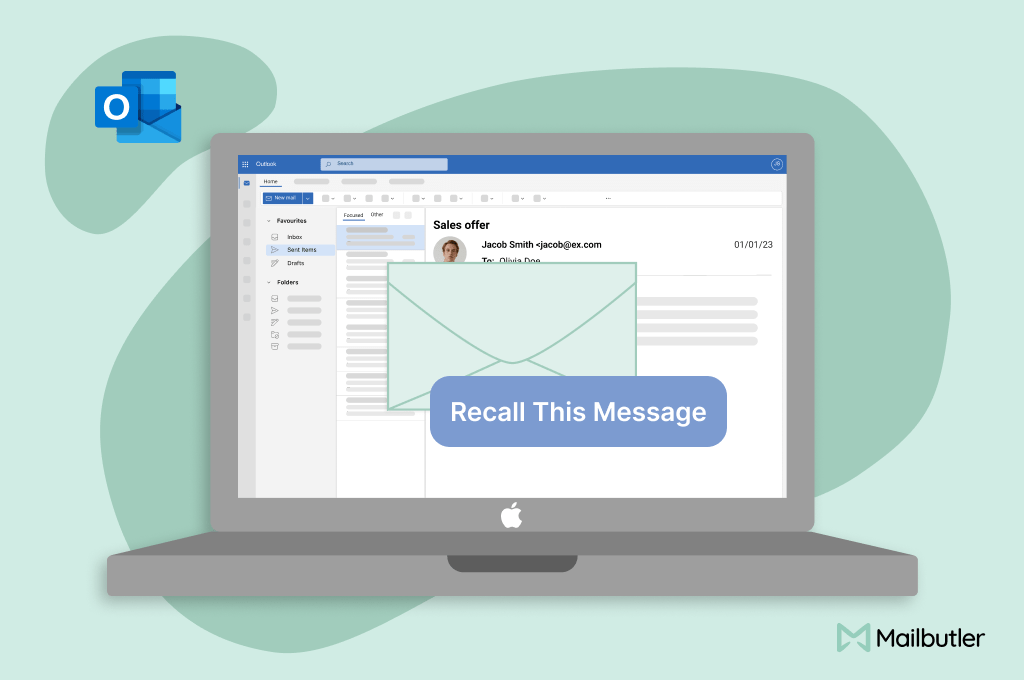
Learn how to recall an email in Outlook and correct email mistakes effectively. Quick and easy guide for efficient communication.