









5 Best Mixmax Alternatives
Mixmax alternatives for 2026: compare 5 tools on price, features, and platform support to find the right fit.

Looking for the best Outlook mail merge tool? We compare 5 options on pricing, personalization depth, and data privacy to help you pick the right one.
Irena is an experienced content and email marketer who loves animals, slow mornings, and all things Tolkien.
Outlook’s built-in mail merge still runs through Word’s Mail Merge Wizard — a workflow that hasn’t changed much since the early 2000s.
If you want personalized subject lines, per-recipient tracking, or a way to run the whole thing without leaving your Outlook inbox, you need an add-in.
We compared five mail merge tools that work with Outlook: what each one is actually good at, what it costs, and where it falls short.
Before comparing tools, it helps to know which features actually matter for your use case:
| Tool | Known for | Best for | Starting price |
|---|---|---|---|
|
Mailbutler |
Mail merge plus per-recipient tracking, smart scheduling, and inbox collaboration in one add-in |
Individual professionals and teams that also want tracking and collaboration |
$7/user/month billed annually |
|
SecureMailMerge |
Privacy-first, works in New Outlook, classic Outlook, Mac, and web |
Privacy-conscious teams and regulated industries |
~€8.33/user/month billed annually |
|
MailMerge365 |
Built-in open/click tracking and unsubscribe management |
Newsletter-style sends that need deliverability tracking |
~€14/month per mailbox billed annually |
|
Mail Merge Toolkit (MAPILab) |
Deep Word, Outlook, and Publisher integration |
Power users comfortable with Word’s Mail Merge Wizard |
$2.50/user/month billed annually |
|
Easy Mail Merge |
One-time license, no subscription |
Windows users who want to pay once and keep using it |
$39.95 one-time (lifetime license) |
Mailbutler runs mail merge directly inside your Outlook inbox — no Word document required.
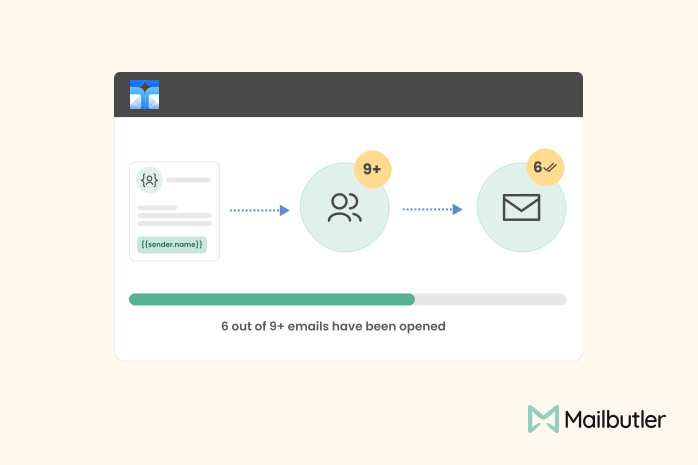
You connect a contact source (Outlook Contacts, HubSpot, Salesforce, or a CSV file), build a message template with placeholders in both the subject line and body, and Mailbutler fills in each recipient’s details before sending. You can preview every personalized version before it goes out, so broken placeholders don’t slip through.
The Mail Merge feature sits on Mailbutler’s Professional plan and above, which also includes real-time tracking, inbox collaboration (email assignments, notes, tasks, and tags), and signature marketing. The Smart plan adds per-recipient tracking and an AI assistant that drafts, improves, and summarizes your emails.
Use Mailbutler if:
Skip it if:
SecureMailMerge is built around a specific promise: your contact list and message content never leave your computer. It processes everything locally and only hands the finished, personalized messages to Microsoft 365 for sending — no third-party server ever sees your campaign data. That makes it a common pick for HR, legal, and healthcare teams that can’t risk a data leak through a marketing tool.
It supports individual attachments, CC/BCC, fallback values for missing data, and shared mailbox sending (with Send-As or Send on Behalf permissions). It runs in New Outlook, classic Outlook, Mac, and the web — no Word required.
The free tier covers unlimited campaigns but adds a small promotional footer to every email. Removing that footer for commercial use costs €100 per user per year billed annually (about €8.33 a month).
Use SecureMailMerge if:
Skip it if:
MailMerge365 leans into deliverability tracking. Beyond the merge itself, it tracks opens and clicks, automatically detects bounces, and manages unsubscribe requests so your list stays clean without manual cleanup.
Campaigns run through your own Microsoft 365 mailbox, capped at 5,000 sends per 24 hours (Microsoft’s own daily limits may apply below that depending on your plan).
It offers a free trial for up to 100 recipients, then either an annual subscription (€160 per mailbox per year, which works out to under €14 a month) or a pay-as-you-go option sized to a specific number of recipients — useful if you send campaigns occasionally rather than on a regular schedule.
Use MailMerge365 if:
Skip it if:
Mail Merge Toolkit extends the mail merge built into Word, Outlook, and Publisher rather than replacing it. You still go through Word’s Mail Merge Wizard, but the toolkit adds personalized subject lines, individual file attachments per recipient, password-protected PDF and DOCX attachments, and the ability to change the From address if you have Send As permissions.
It’s sold in Standard and Professional editions. Standard covers personalized subjects and attachments; Professional adds send scheduling, batch throttling, read receipts, digital signatures, and SharePoint list support as a data source. Because it runs locally as a Windows Office add-in, no campaign data goes to a third-party server.
Use Mail Merge Toolkit if:
Skip it if:
Easy Mail Merge is the only tool here with a one-time price instead of a subscription: $39.95 buys a lifetime license with a year of free upgrades. It imports contacts from Outlook Contacts, Exchange distribution lists, or CSV/Excel files, and its standout feature is a conditional-content engine — using AND/OR/IF logic on imported fields, you can automatically vary pricing, currency, or offer text per recipient based on country, category, or any other field.
It also handles send throttling (to avoid tripping spam filters), rotates the sending address across multiple accounts, and tracks opens and clicks through Google Analytics. It’s a Windows-only desktop add-in; there’s no Mac or web version.
Use Easy Mail Merge if:
Skip it if:
| If you care most about... | Pick |
|---|---|
|
Mail merge plus tracking, collaboration, and signatures in one tool |
Mailbutler |
|
Keeping campaign data off third-party servers |
SecureMailMerge |
|
Automatic bounce and unsubscribe handling for newsletters |
MailMerge365 |
|
Personalized subjects and attachments inside Word’s mail merge |
Mail Merge Toolkit |
|
A lifetime license instead of a subscription |
Easy Mail Merge |
Outlook’s native mail merge hasn’t kept pace with what most senders actually need — personalization beyond a name field, attachments that differ per recipient, and visibility into whether the emails actually landed.
Each tool here fixes a different piece of that gap: Mail Merge Toolkit stays close to Word’s familiar wizard, SecureMailMerge and MailMerge365 focus on privacy and deliverability tracking respectively, and Easy Mail Merge trades a subscription for a one-time fee.
For most individuals and teams, Mailbutler is the strongest starting point: mail merge that runs directly in your Outlook inbox, alongside per-recipient tracking, shared inbox collaboration, and signature marketing, so you’re not stitching together a separate tool for each piece. If your team also uses Gmail or Apple Mail, that becomes even more useful, since Mailbutler works across all three.




Mixmax alternatives for 2026: compare 5 tools on price, features, and platform support to find the right fit.

Looking beyond Mailsuite? We compared 10 email tracking and mail merge tools for Gmail and Outlook, with 2026 pricing and trade-offs.

10 Scribe alternatives compared, focusing on pricing, brand governance features, and honest trade-offs for teams of every size.
Top 5 alternatives to MailTracker for Gmail, with real pricing, feature breakdowns, and honest trade-offs to help you pick the right one.

Looking for the best Front alternatives? Compare 10 shared inbox and help desk tools on price, features, and fit.