





5 Best Mixmax Alternatives
Mixmax alternatives for 2026: compare 5 tools on price, features, and platform support to find the right fit.

Learn how to unsend and recall emails across Outlook, Gmail, and Apple Mail, and get tips to avoid email errors from the start.

Irena is an experienced content and email marketer who loves animals, slow mornings, and all things Tolkien.
TL;DR
You can only unsend an email within a short window before it actually leaves your outbox. Gmail, Outlook, and Apple Mail offer “Undo Send,” while Outlook also provides conditional “Recall.” Mailbutler helps prevent email mistakes with AI-powered drafting, proofreading, and message templates.
Sending an email too quickly is one of the most common workplace errors. Typos, wrong attachments, accidental CCs, and sensitive information sent to the wrong contacts all happen — even to careful professionals.
Fact nugget: Most email clients only let you unsend within seconds, not minutes or hours.
Learning how to unsend an email — and how to prevent mistakes — protects your professionalism and your data. Tools like Mailbutler help you catch errors before they happen.
Outlook provides two different methods:
Undo Send — a short delay before delivery.
Recall (Replace) — attempts to delete unread messages, but works only within Exchange/ Microsoft 365 organizations.
Fact nugget: Recall does not work for Gmail, Yahoo, or any external domains.
Direct answer: Enable Undo Send → Set delay → Click Undo right after sending.
Steps:
Go to Settings → Mail → Compose and reply.
Under Undo send, set a delay (up to 30 seconds).
After clicking Send, click Undo in the pop‑up bar.

Source: Microsoft
Direct answer: Enable Undo Send → Set delay → Click Undo right after sending.
Steps:
Open Outlook → Settings → Composing.
Adjust the delay (up to 120 seconds).
When you send an email, click Undo in the pop-up bar before the countdown ends.
Note: This is not true recall — Outlook simply delays the message before sending.
Direct answer: You can recall a message only if both sender and recipient are on Microsoft Exchange or 365 and in the same organization and the email is unread.
Basic steps:
Open Sent Items → double‑click the email.
From the ribbon, select Recall Message, then click OK.

Fact nugget: Outlook’s Recall is only available in the Outlook desktop app.
Go to Settings → See all settings → General.
Under Undo Send, choose a cancellation period (up to 30 seconds).
Save changes.
(Gmail returns your message to Drafts for edits.)
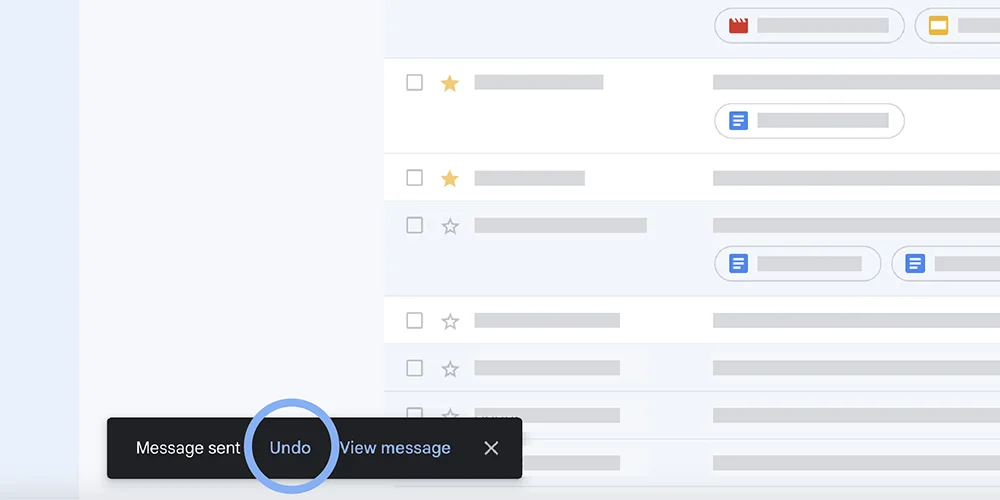
Source: Google
Shortcut: Press Ctrl+Z (Windows) or ⌘+Z (Mac) immediately after sending.
Apple Mail allows a 30‑second window to pull an email back.
Adjust the delay under Mail → Settings → Composing → Undo send delay.
Send and email and click Undo Send in the sidebar within 30 seconds.
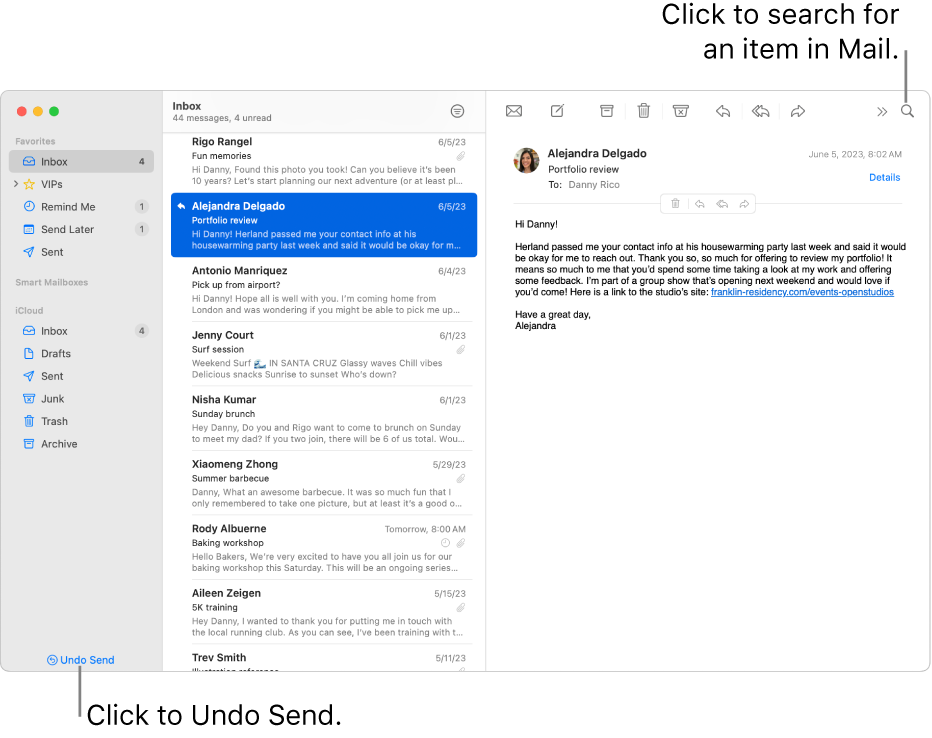
Source: Apple
Limit: Undo Send doesn’t work for large Mail Drop attachments.
Direct answer: No.
Gmail, Outlook, and Apple Mail only delay delivery briefly. Once the email leaves your server, it cannot be retrieved.
Mailbutler adds professional safety features:
Mailbutler’s AI Assistant can draft complete emails for you, tailored to your preferred tone, length, style, and language.

Mailbutler's AI Email Drafting
The AI reviews your message for spelling and grammar errors, awkward phrasing, and clarity issues.It helps you refine your content before it is sent, so you don’t end up needing to recall or resend corrections.
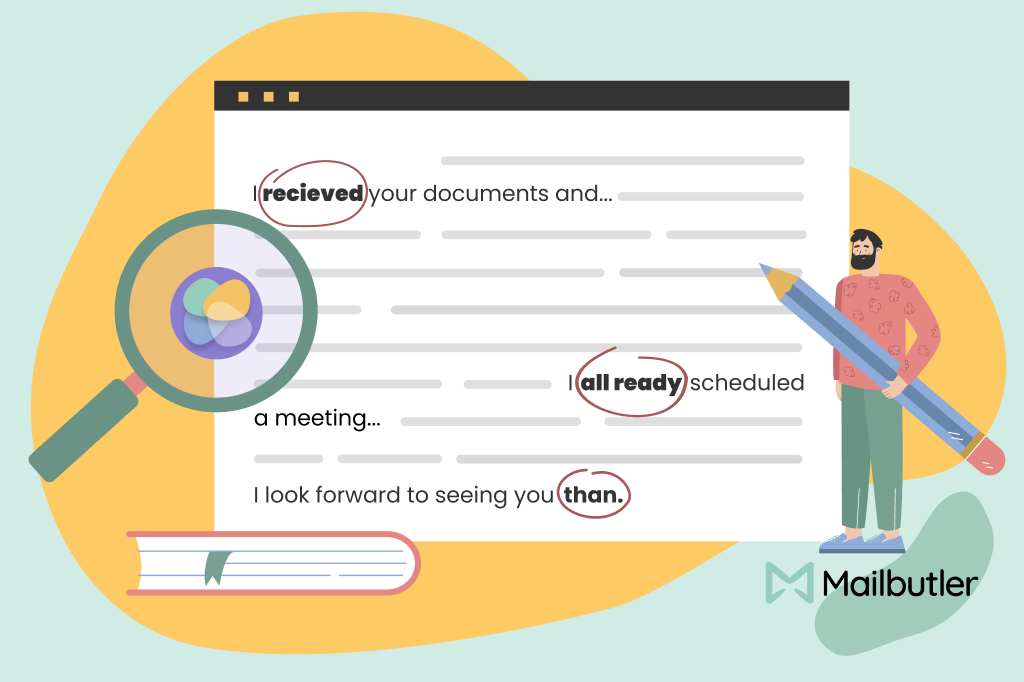
Mailbutler's AI Email Improvement
Mailbutler lets you create and reuse message templates, ensuring you never have to rewrite routine emails from scratch. Templates reduce typos, maintain consistent tone and structure, and prevent missing information — especially helpful for sales, support, recruiting, and outreach workflows.

Mailbutler's Message Templates
Instead of relying on a tiny 5–30 second undo window, Mailbutler allows you to schedule emails or add deliberate send delays. This gives you the freedom to double‑check your messages before they leave your outbox.
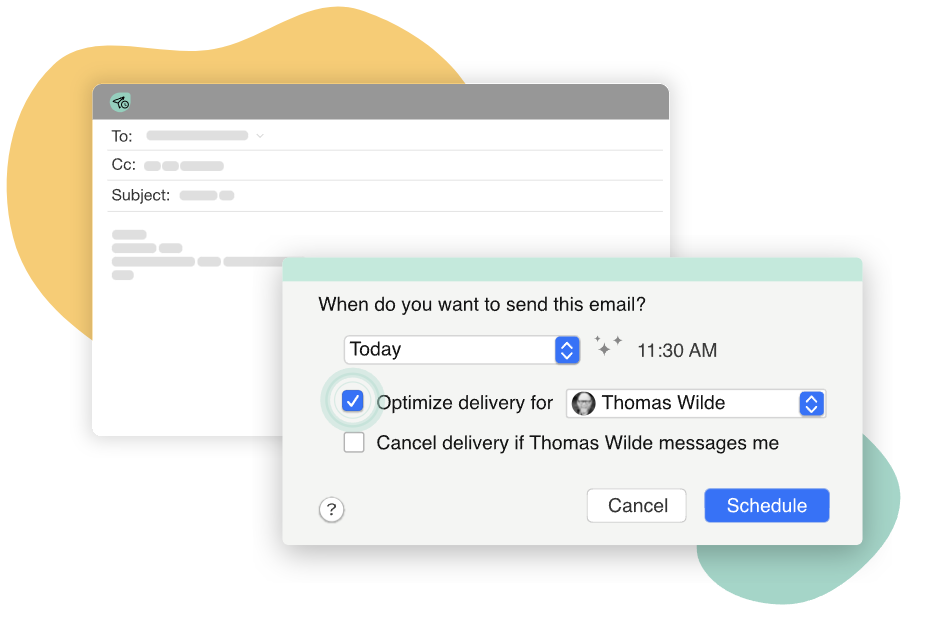
Mailbutler's Smart Timing
No. No major email client allows unsending after an hour.
No. It only works if both sides use the same Exchange organization and the email is unread.
Mailbutler can help avoid mistakes before sending. Features like AI Drafting, AI Improving, and Templates let you refine your message so you rarely need Undo Send or Recall.
From a thread titled “LPT: Update your Undo Send settings in Gmail…” (on r/LifeProTips):
The 30‑second recall has saved me SEVERAL times… not attaching something or replying to the wrong email.
From a thread titled “Is there anyway to undo send an email after the popup goes away?” (on r/GMail)
No there isn’t… undo‑send is implemented as a delay, and when the time expires, THEN it’s sent.
From a thread titled “Message Recall” (on r/Office365):
Inside org yes. Outside org is not possible… Even inside an org, mobile devices and journaling archives make recalls pretty useless… It’s a dysfunctional legacy feature that may work internally but should not be relied upon.
Undo Send ≠ Recall — Undo Send delays delivery; Recall can remove delivered mail.
Gmail, Outlook, Apple Mail all support short Undo Send windows.
Mailbutler reduces error risk with AI-powered drafting and improving, and message templates.




Mixmax alternatives for 2026: compare 5 tools on price, features, and platform support to find the right fit.

Looking beyond Mailsuite? We compared 10 email tracking and mail merge tools for Gmail and Outlook, with 2026 pricing and trade-offs.

10 Scribe alternatives compared, focusing on pricing, brand governance features, and honest trade-offs for teams of every size.
Top 5 alternatives to MailTracker for Gmail, with real pricing, feature breakdowns, and honest trade-offs to help you pick the right one.

Looking for the best Outlook mail merge tool? We compare 5 options on pricing, personalization depth, and data privacy to help you pick the right one.

Looking for the best Front alternatives? Compare 10 shared inbox and help desk tools on price, features, and fit.