




5 Best Mixmax Alternatives
Mixmax alternatives for 2026: compare 5 tools on price, features, and platform support to find the right fit.

Generate effective AI email replies with the help of ChatGPT and Mailbutler's AI email reply generator. Read on to find out how.

Irena is an experienced content and email marketer who loves animals, slow mornings, and all things Tolkien.
TL;DR
AI email replies help professionals handle inbox overload by generating fast, context‑aware responses. ChatGPT is powerful—but pairing it with Mailbutler’s built‑in AI Smart Assistant makes email writing easier, faster, and more secure.
Email remains one of the most time‑consuming parts of modern work. The average professional continues to receive 100+ emails per day—a volume that makes efficient communication essential. Not every message requires deep thought, which is why AI‑generated replies have become a critical productivity tool.
ChatGPT is now widely used for AI email replies, but many users still struggle with prompts, tone adjustments, and workflow friction. This guide explains how ChatGPT works today—and how tools like Mailbutler’s AI Smart Assistant, embedded directly in your inbox, streamline the entire process.
Direct answer: ChatGPT is a conversational AI model from OpenAI capable of generating human‑like text based on user prompts.
ChatGPT can:
Write and reply to emails
Summarize long conversations
Translate text
Draft documents and code
Provide structured advice
To use ChatGPT, you need an OpenAI account. As of 2026, ChatGPT Free, Go, Plus, and Pro plans are widely available, though advanced models require paid access.
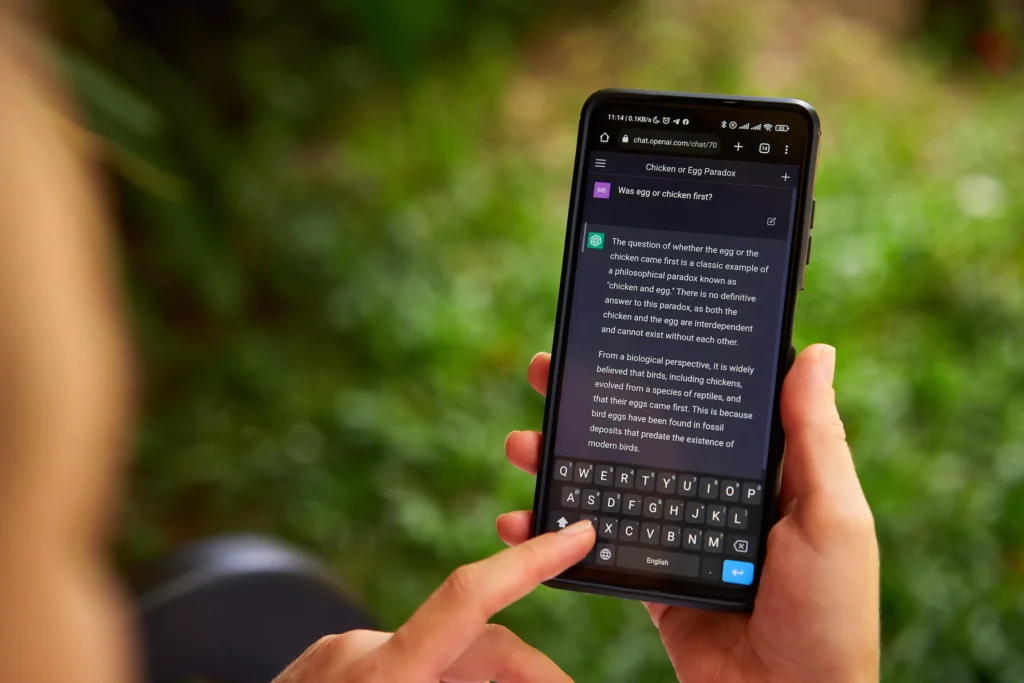
Fact nugget: ChatGPT uses natural language processing to identify intent and generate context‑aware responses.
Source: Search Engine Journal
Direct answer: ChatGPT analyzes patterns in language and predicts responses that match your prompt, tone, and context.
It uses:
Machine learning to understand text relationships
Natural language processing (NLP) to interpret meaning
Context windows to handle longer conversations
Fine‑tuned models optimized for email and business tasks
This makes ChatGPT a strong option for creating quick, high‑quality email replies—especially with clear instructions.
Example prompt:
“Write a polite reply declining this collaboration. Keep it under 90 words.”
Fact nugget: Specific prompts produce more accurate email replies.
If ChatGPT misinterprets your goal—common in collaboration or negotiation emails—simply request changes.
Examples:
“Make it friendlier.”
“Make it more concise.”
“Add a next‑step CTA.”
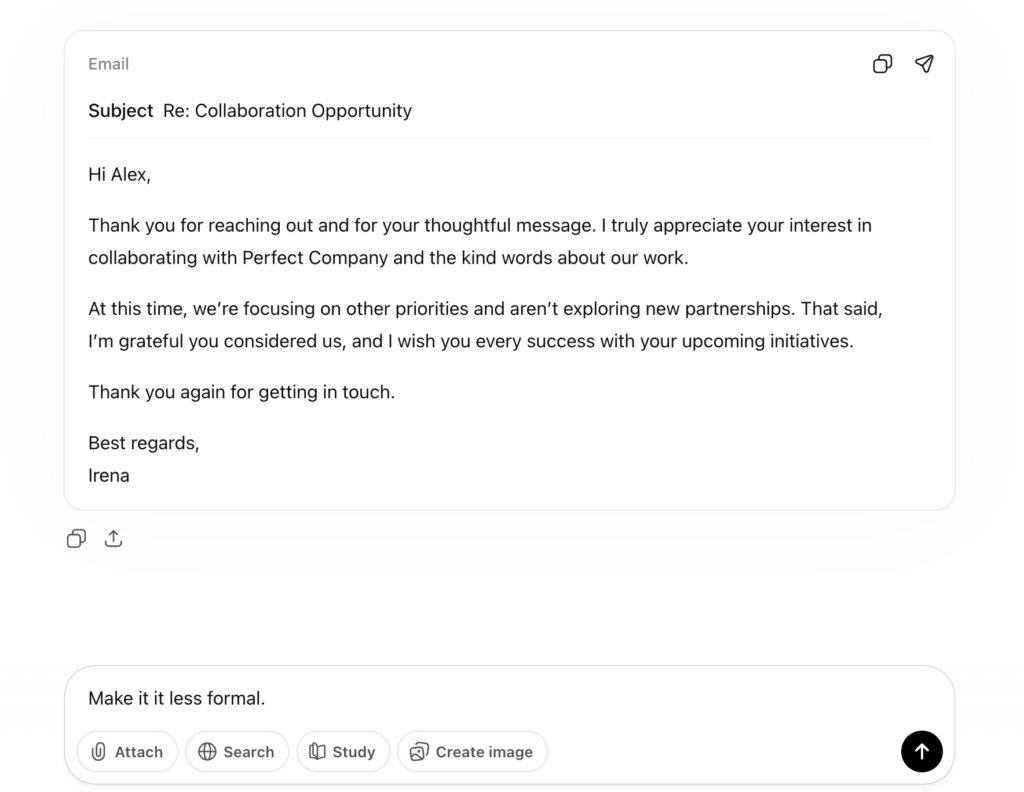
AI email reply
Sometimes you need assertiveness. Other times warmth. ChatGPT can create multiple versions until you find the right fit.
Paste the original email + your desired tone, length, intent.
This helps ChatGPT maintain context.
You don’t need technical language.
ChatGPT occasionally produces overly formal or slightly inaccurate responses.
Fast drafting (seconds, not minutes)
Unique responses tailored to context
Grammar-perfect writing
No blank-page anxiety
Replies can sound too formal
Requires copy/paste between ChatGPT and your inbox
Some features require a paid subscription
Occasional inaccuracies
Direct answer: Mailbutler integrates OpenAI technology—the same company that created ChatGPT— directly inside Outlook, Gmail, and Apple Mail—no tab switching, no copy/paste.
Mailbutler’s AI Smart Assistant can:
Write complete emails
Generate context‑aware AI email replies
Improve grammar, clarity, and phrasing
Summarize long threads
Create tasks from emails
Fact nugget: Mailbutler brings ChatGPT-style AI to your email client natively.
Try it free: 14‑day trial of Mailbutler Smart Assistant.
AI in email workflows raises valid questions about privacy, security, and responsible use. Here’s how Mailbutler safeguards your data:
When you use Mailbutler’s AI features, Mailbutler never saves, stores, or has access to the content of your emails.
Your text is securely forwarded to OpenAI for processing and immediately returned to your Mailbutler extension.
To further protect you, Mailbutler automatically replaces sensitive information with dummy placeholders before anything is sent for processing.
Additionally, OpenAI does not use your email content for model training, ensuring your information remains confidential and never becomes part of any dataset.
AI systems can reflect biases from the data they were trained on. Review AI‑generated content carefully, especially in sensitive contexts.
AI‑generated content should not be used as original academic work. Most institutions prohibit submitting AI‑produced text as one’s own.
AI tools may unintentionally generate content similar to copyrighted material. Always review outputs before using them professionally or publicly.
Fact nugget: Mailbutler’s CTO has shared an in‑depth explanation of how Mailbutler’s AI processing, security, and privacy systems work.
Yes. With the right prompts, ChatGPT produces polished, structured emails for professional use.
Yes—tools like Mailbutler’s AI Smart Assistant generate context‑aware replies directly inside your inbox.
AI helps by:
Drafting emails
Writing replies
Improving tone and clarity
Summarizing threads
Suggesting todos
ChatGPT Free exists, but advanced models require ChatGPT Plus or Team subscriptions.
From a thread titled “Questions about smart assistant” (r/mailbutler)
Hi - What version of GPT does smart assistant use? Does it learn my style from accessing my old emails?
From a thread titled “How are you using ChatGPT to write emails?” (r/sales)
I’ve started using ChatGPT to write my email and holy moly it’s a god send. No more fussing about wording or professionalism.
From a thread titled “How are you using ChatGPT to write emails?” (r/sales)
I add the persona’s details… it does need a few edits but yes I also got compliments.
From a thread titled “Discussion response with ChatGPT” (r/SNHU)
It’s incredibly obvious when you see a ChatGPT reply to anything… everything is numbered.
AI email replies save time and reduce inbox overwhelm.
ChatGPT is powerful but requires manual prompting and copy/paste.
Mailbutler integrates AI email writing directly into Outlook, Gmail, and Apple Mail.
Always review AI content for accuracy, tone, and privacy.
AI tools are most effective when combined with human oversight.
Try Mailbutler’s AI Smart Assistant to streamline your daily email workflow.




Mixmax alternatives for 2026: compare 5 tools on price, features, and platform support to find the right fit.
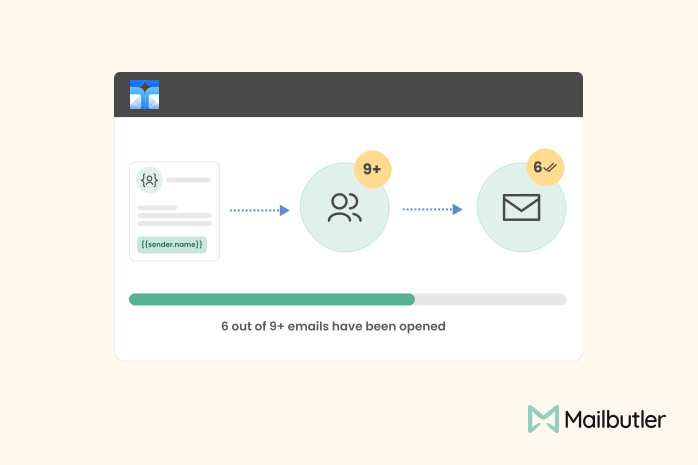
Looking beyond Mailsuite? We compared 10 email tracking and mail merge tools for Gmail and Outlook, with 2026 pricing and trade-offs.
10 Scribe alternatives compared, focusing on pricing, brand governance features, and honest trade-offs for teams of every size.
Top 5 alternatives to MailTracker for Gmail, with real pricing, feature breakdowns, and honest trade-offs to help you pick the right one.
Looking for the best Outlook mail merge tool? We compare 5 options on pricing, personalization depth, and data privacy to help you pick the right one.
siham
15 Jun 2023
siham
15 Jun 2023
thank you
15 Jun 2023
Abraham T Philip
27 Jun 2023
Abraham T Philip
27 Jun 2023
“This blog post effectively captures the power and potential of ChatGPT in revolutionizing email management. It provides clear instructions and insightful tips on how to leverage this AI assistant to write effective email replies. The article’s practical approach and emphasis on personalization make it a valuable resource for anyone looking to enhance their email productivity. Kudos to the writer for shedding light on this exciting advancement!”
As for a question not addressed in the article, a relevant query could be:
“What measures does ChatGPT take to ensure data privacy and security, especially when handling sensitive email content?”
27 Jun 2023
James
30 Jun 2023
James
30 Jun 2023
Hi Abraham! Thanks for your comment. We’re currently working on a blog post will which explain how Mailbutler’s artificial intelligence still respects our users’ privacy. It should be up on the blog within the next few weeks. Meanwhile, you could check out our blog post on how Mailbutler respects your privacy here: https://www.mailbutler.io/blog/news/inside-out-how-mailbutler-respects-your-privacy/
30 Jun 2023
Ahmer Abdul Jabbar
14 Jul 2023
Ahmer Abdul Jabbar
14 Jul 2023
I would prefer to any software will be download in my pc and will continue helping to us for drafting emails etc….
14 Jul 2023
James
17 Jul 2023
James
17 Jul 2023
Thank you for your feedback Ahmer!
17 Jul 2023
Meshack Dasivas
10 Oct 2023
Meshack Dasivas
10 Oct 2023
It’s really amazing
10 Oct 2023